


 Turn a plant photo into a saved care profile.
Identify plants by photo
Start with a quick plant photo, confirm the match, and turn that plant into a tracked diary entry.
 Create account
Identify houseplants, build care plans, track photos, and keep every plant's story synced between web and iPhone.

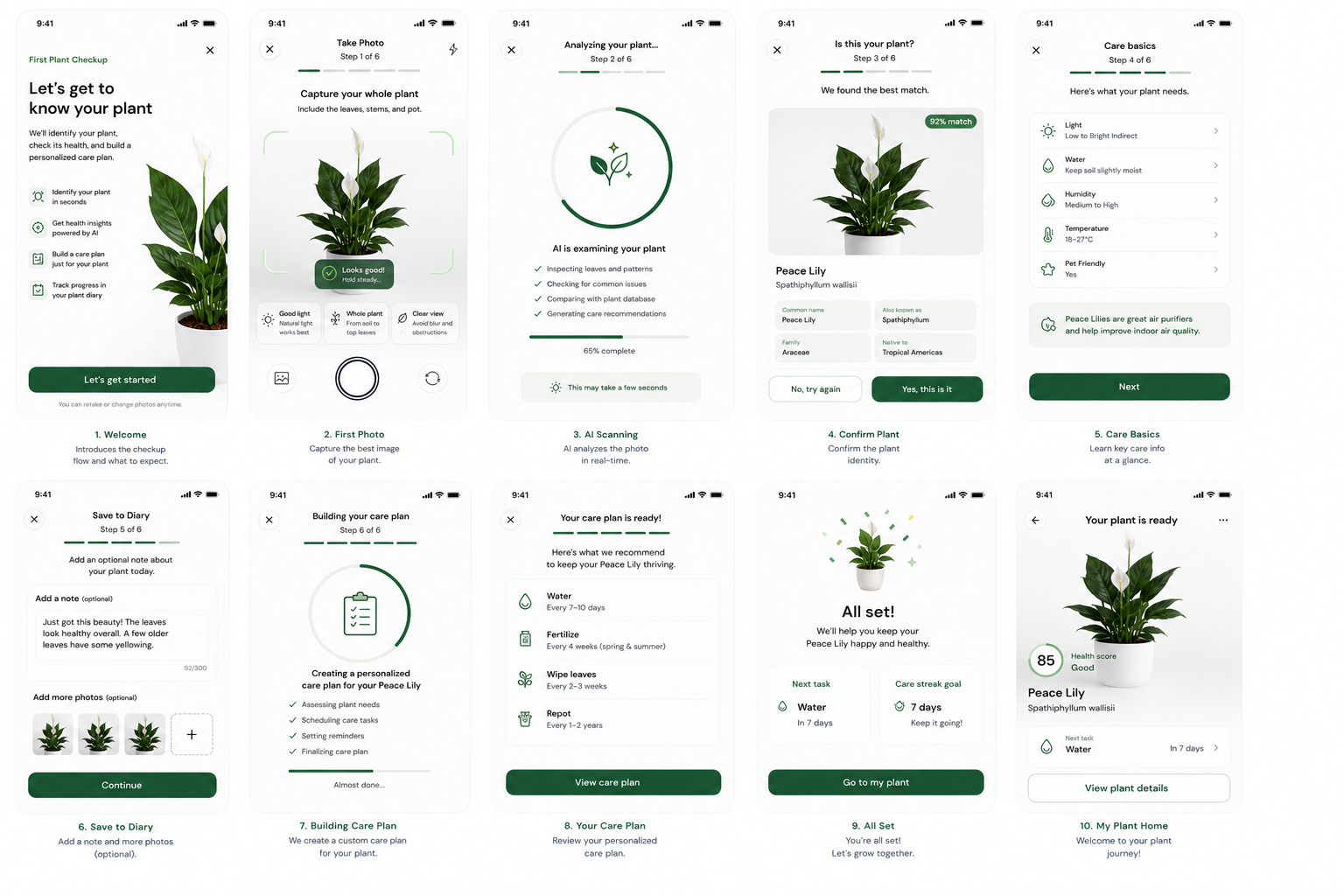
Botanica is built around the day-to-day questions plant owners ask: what is this plant, where should it live, is it healthy, what should I do today, and how do I know it is improving?
From the first photo to the care calendar, Botanica keeps the small details visible without turning plant care into a spreadsheet.
Start with a quick plant photo, confirm the match, and turn that plant into a tracked diary entry.
Water, fertilize, rotate, mist, wipe leaves, and repot with timing that stays connected to each plant.
Build a visual record so new leaves, yellowing, pests, and recovery are easy to compare later.
Use photos and context to spot likely issues, then save the result beside the plant history.
Browse popular houseplants with light, water, humidity, pet-safety, and care-window guidance.
Create the account on web, review on desktop, and use the same care history on iPhone.
Use the guided checkup when you bring home a new plant, rescue a struggling one, or finally want to organize the collection you already have.
Capture the full plant, leaves, stems, and pot so the first profile starts with visual context.
Review the suggested plant, common name, botanical name, and confidence before saving.
Add room, light, humidity, symptoms, and notes so the plan fits the plant you actually own.
See what is due today, what can wait, and which plant needs attention first.
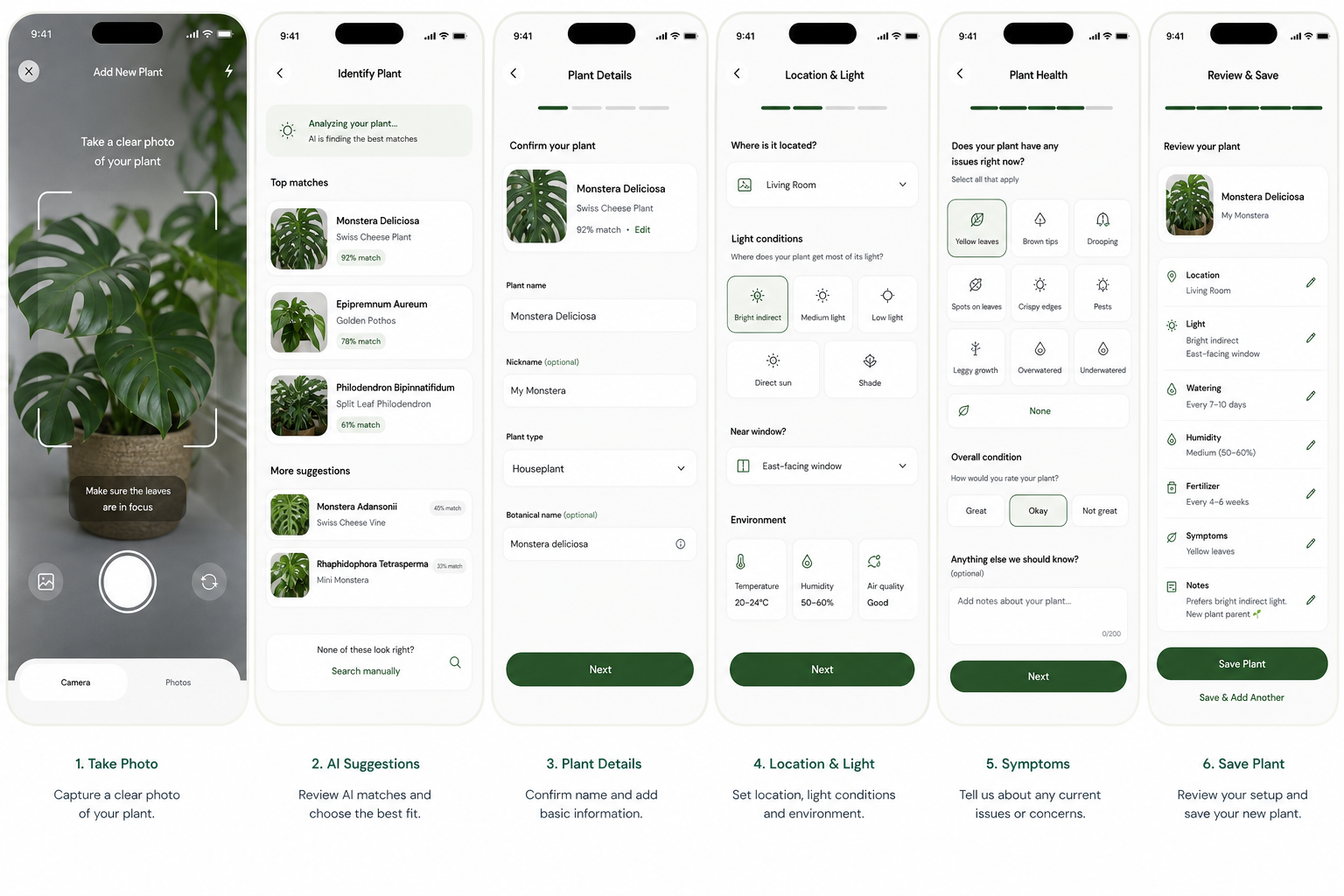
Botanica combines a photo diary, care calendar, and guided advice so each plant has a useful record instead of scattered reminders.
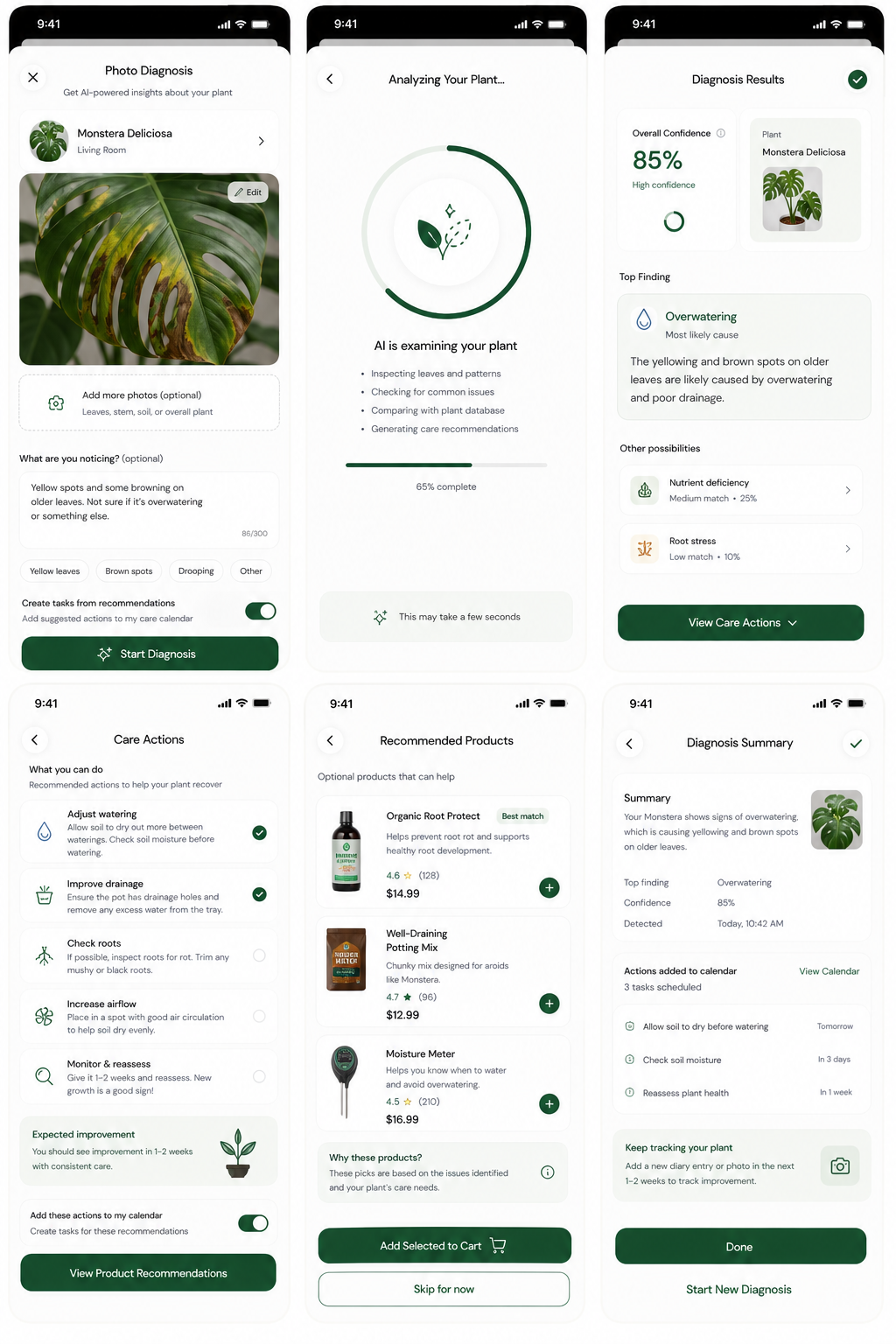
Capture symptoms, review likely causes, and keep the diagnosis with the plant record.
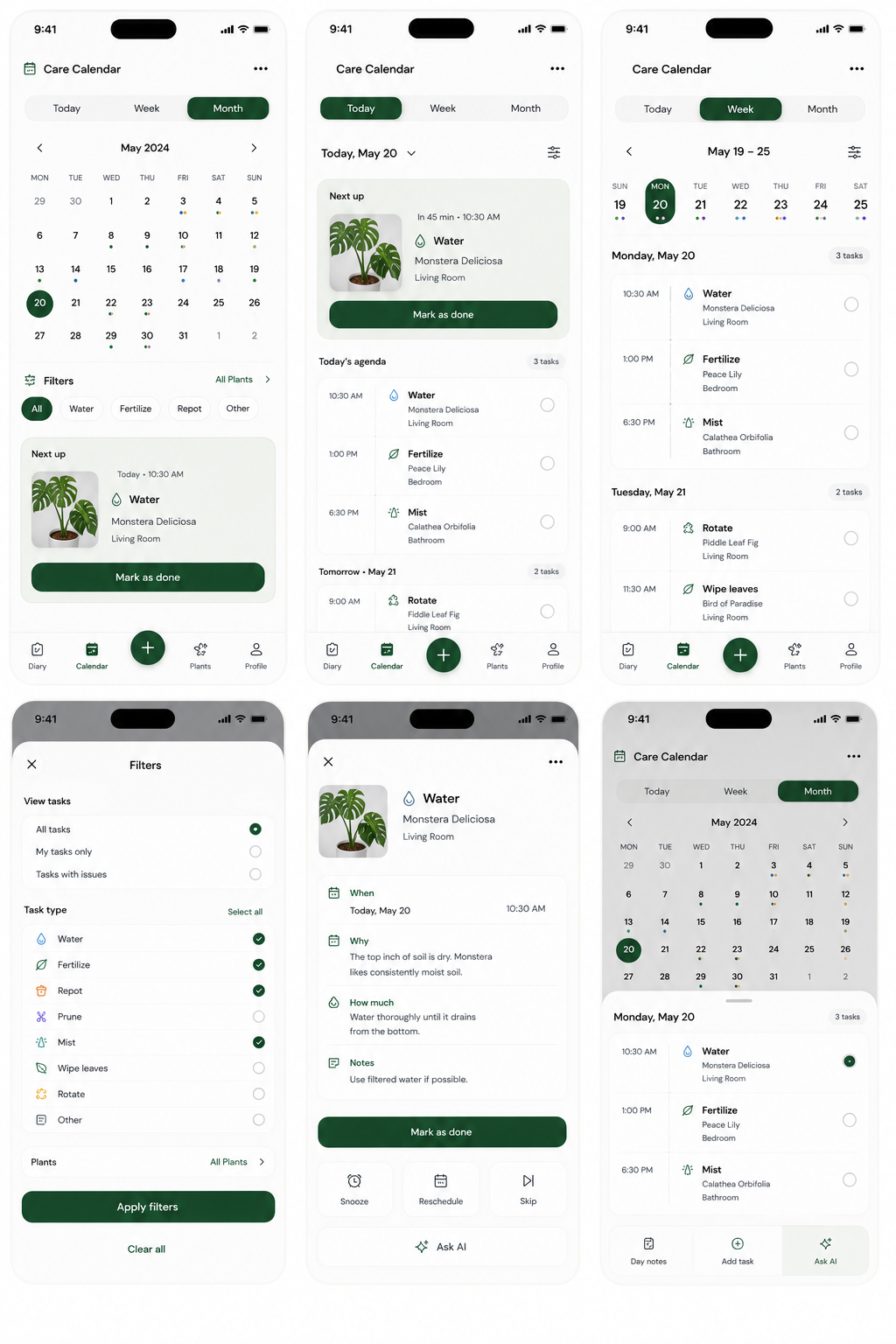
See today, week, and month views for watering, fertilizing, repotting, pruning, and other routines.
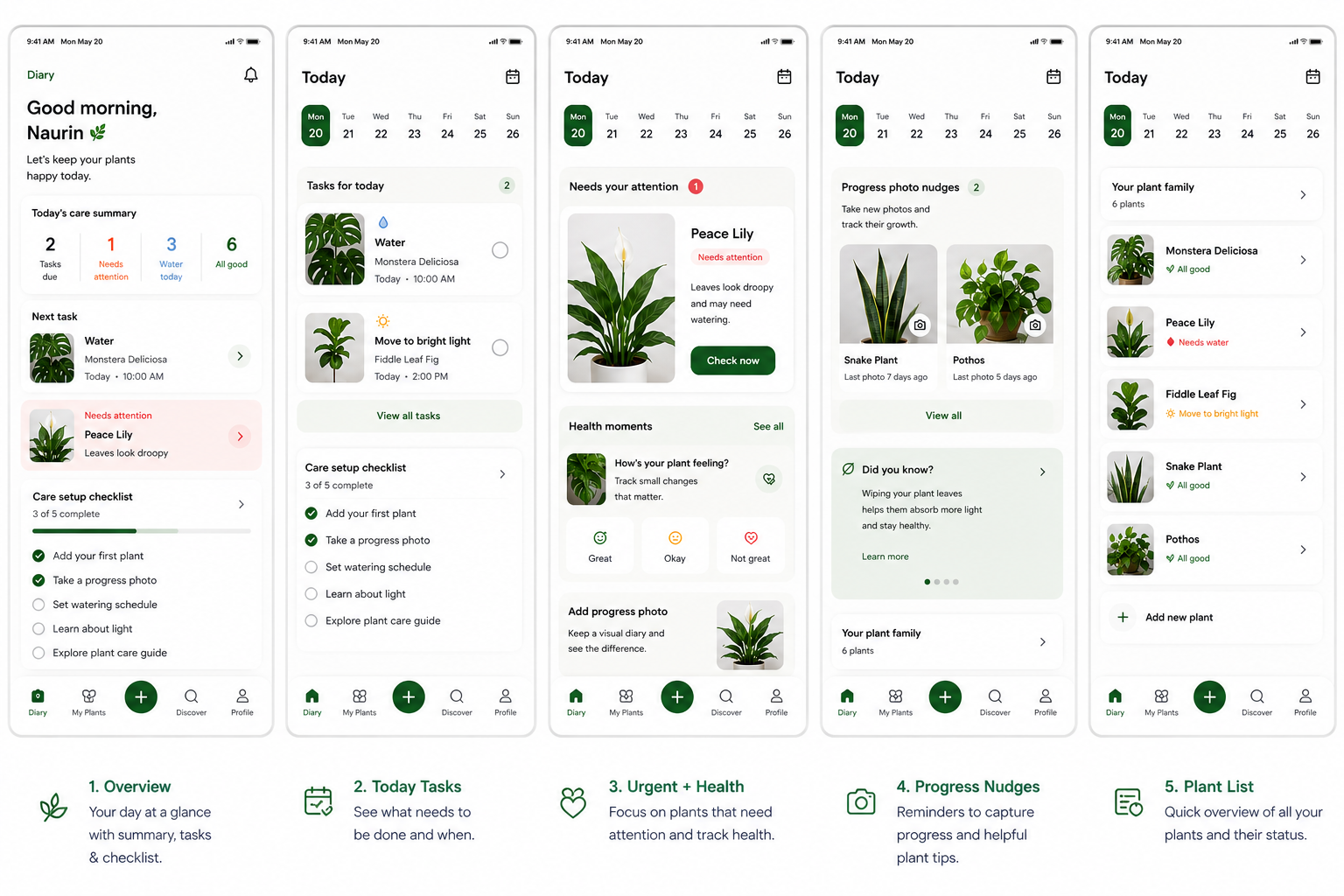
Use the web app for planning, review, and bigger-screen plant management with the same account.
Whether you have one peace lily or a shelf of cuttings, Botanica helps you keep the care plan grounded in the plant, room, and recent history.
Know what your plant is, where to put it, and what to do first without falling into guesswork.
Track plants by room, window, shelf, and light level so care stays practical in small spaces.
See due tasks and skip or snooze care without losing the plant history.
Save symptom photos, diagnosis context, and recovery notes when a plant starts declining.
Update light, humidity, feeding, and watering cadence as rooms change through the year.
Create a profile even when you do not know the name yet, then improve it over time.
The public plant guide gives you a fast starting point for common houseplants. Once a plant is in your diary, Botanica helps you adapt care to its actual room, light, symptoms, and progress.
Snake plant, pothos, ZZ plant, peace lily
Filter care notes before plants move into shared spaces
Calathea, fern, maranta, anthurium
Forgiving care windows and simpler routines
Botanica is focused on your plant history, practical reminders, and useful guidance. Optional recommendations stay supportive, not the center of the experience.
Notes, photos, rooms, symptoms, and care history are organized around your account and plants.
Botanica shows what is due, what changed, and why a plant may need attention.
Product suggestions can support plant care, but the core diary, calendar, and plant records remain the main app.
Use desktop for setup and review, then open Botanica on iPhone for quick photos, task completion, and care notes when you are standing next to the plant.